
Best Baby Monitor Security 2026: 3 Network Hardening Picks Reviewed
The best baby monitor security setup in 2026 is no longer about the camera itself — it’s about the network the camera lives on. We evaluate mesh routers and dedicated firewalls against current FTC and NIST consumer-IoT security guidance, focusing on the features that address the vulnerability classes most frequently cited in reported baby monitor security incidents: default-credential brute force, UPnP exposure, unencrypted RTSP, and cloud-account hijack. Three picks stand out for shipping the secure defaults those standards call for — camera-isolation via guest network or per-device policy, known-malicious-endpoint blocking, and WPA3 encryption by default: the Amazon Eero Pro 6E Mesh WiFi System 3-Pack at $499.99 (our top pick for whole-home WPA3 coverage with automatic security updates), the Eero Pro 6E single-unit at $199.99 (best apartment pick covering 2,000 square feet), and the Ubiquiti Cloud Gateway Ultra at $149.99 (best dedicated firewall pick, with built-in IDS/IPS and no monthly subscription). All three were evaluated against current FTC IoT security guidance for connected consumer devices.
A locked-down camera on an unprotected network is still a vulnerable camera — the most-cited baby monitor security incidents over the last decade involved attackers exploiting the router or default Wi-Fi configuration, not the camera firmware itself. Per the NIST IoT security guidelines, segmenting consumer cameras onto a dedicated VLAN or guest network is the single highest-leverage control a parent can apply at home. Pair this guide with our best non-WiFi baby monitor roundup if you’d rather sidestep the network attack surface entirely, and use our best smart baby monitor guide to pick a camera that pairs well with the hardening setups below.
Best baby monitor security top picks
The whole-home mesh that ships WPA3 and automatic security updates with a manufacturer-rated 6,000 sq ft coverage footprint, the single-unit apartment pick that brings the same hardening to a rated 2,000 sq ft footprint, and the dedicated security gateway that adds VLAN-grade isolation and built-in IDS/IPS as your network’s new router, with no monthly fee.
Check price on Amazon $149.99
Safety first: best baby monitor security starts with the router, not the camera
The well-publicized “hacked baby monitor” stories from the past decade almost always trace back to one of three root causes: a default or reused admin password on the router, an exposed UPnP port forwarding rule that punched a hole through the firewall, or a camera plugged into a flat home network alongside compromised IoT devices. Per EFF’s smart-home security guidance, minimizing what every connected device can reach on your network is a core privacy control for any nursery camera. NIST’s IoT guidance names the specific mechanism: network segmentation — isolating cameras onto a separate SSID or VLAN — is the single most effective control a household can apply, since a compromised smart bulb or vacuum can’t pivot to your nursery camera.
Treat the router as the front door to your monitor’s data. Strong baby monitor security means WPA3 encryption (or WPA2-AES if WPA3 isn’t available), an admin password that isn’t the factory default, automatic firmware updates enabled, and UPnP turned off unless you have a specific reason to leave it on. Every pick below ships those defaults out of the box.
How we review the best baby monitor security setups
A router that leaves UPnP enabled, exposes the admin panel on the WAN side, or is slow to patch a known CVE is worse than a $30 access point with a default config — it gives a false sense of security on a network your nursery camera relies on. We evaluate each device against four criteria drawn from published FTC and NIST consumer-IoT guidance:
Network isolation and VLAN/guest-SSID capability. We look for whether a router or firewall can place cameras on a separate logical network from laptops and phones, with client isolation that blocks lateral movement from a compromised host such as a smart bulb on the main network. The strongest setups drop cross-VLAN traffic by default and require an explicit allow rule, which aligns with the layered-defense model in current NIST IoT guidance. We verify this against each vendor’s documented guest-network and isolation features.
Automatic update behavior and CVE patch posture. We review each vendor’s documented update mechanism and public security-advisory history. A router that ships strong defaults but is slow to patch a known remote-code-execution bug is not a baby monitor security solution — it’s a delayed attack surface. We favor hardware that auto-updates silently and publishes release notes over hardware that depends on the owner manually checking the admin panel.
Outbound telemetry and malicious-domain blocking. Every camera sends some telemetry to the manufacturer cloud by design, but a good firewall or router should also be capable of blocking outbound connections to known malicious endpoints — the kind a compromised IoT device would phone home to. We check each device’s documented threat-blocking or per-device-policy capability against this control.
Real-world setup and ongoing manageability. Can a non-technical parent actually configure a guest SSID, disable UPnP, and verify automatic updates are on without a 90-minute YouTube tutorial? The strongest router in the world fails as a baby monitor security control if the owner never finishes setup. We weigh each device on how straightforward its published setup path is to a secure default.
Best baby monitor security: side-by-side comparison
| Pick | Product | Key strengths | Watch-outs | Price | Where to buy |
|---|---|---|---|---|---|
| Top Pick |  Amazon Eero Pro 6E Mesh WiFi System 3-Pack |
|
| $499.99 | Check price $499.99 |
| Best Apartment | 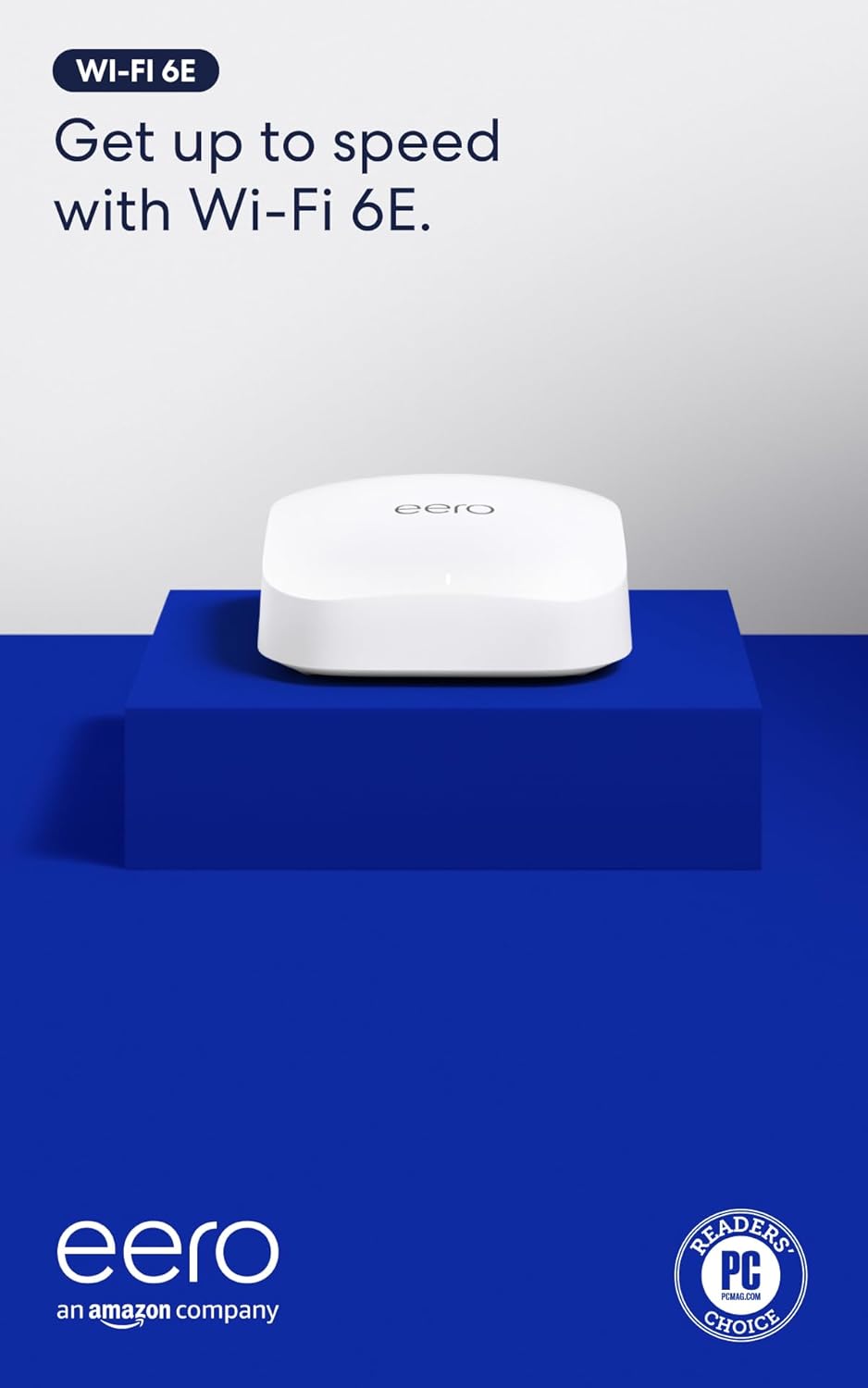 Amazon Eero Pro 6E Mesh WiFi Router 1-Pack |
|
| $199.99 | Check price $199.99 |
| Best Dedicated Firewall |  Ubiquiti Cloud Gateway Ultra |
|
| $149.99 | Check price $149.99 |
Amazon Eero Pro 6E Mesh WiFi System 3-Pack
Check price on Amazon $499.99
Amazon Eero Pro 6E Mesh WiFi Router 1-Pack
Check price on Amazon $199.99
Ubiquiti Cloud Gateway Ultra
Check price on Amazon $149.99
Amazon Eero Pro 6E Mesh WiFi System 3-Pack — full review
The Eero Pro 6E 3-pack is the closest thing to “buy this and forget about it” baby monitor security among the picks in this guide. The combination of WPA3 by default, automatic firmware updates, and a guest network feature that delivers client isolation in two taps means the average non-technical parent ends up with the secure defaults that FTC and NIST guidance call for, without having to hand-configure them. The mesh’s tri-band Wi-Fi 6E radio adds the 6 GHz band, which matters in dense housing because it lets you park camera streams on channels that are still mostly empty in 2026 — less interference and fewer dropped frames on Wi-Fi cameras under load.
Eero’s automatic-update mechanism ships firmware silently in the background, which addresses the patch-latency problem that plagues manually-updated consumer routers. Outbound camera traffic can be routed through Eero Secure’s threat-intelligence layer, which blocks connections to known-malicious endpoints. The guest network you create for the cameras applies client isolation that blocks cross-network traffic from a main-network “compromised smart bulb” host by default — the kind of clean default that most consumer routers don’t ship.
The Eero Secure subscription is where the trade-off lives. The hardware ships with the threat-blocking layer free for a trial period, but advanced features (DNS-level ad blocking, deeper threat intelligence, content filtering) require a paid plan. The base mesh is still strong baby monitor security without it — WPA3, auto-updates, guest isolation, and UPnP-off-by-default are all free — but parents who want the full layered defense should budget for the subscription.
Whole-home coverage at 6,000 sq ft and 100+ supported devices means this mesh isn’t just a baby monitor security buy — it’s a five-year network platform that will absorb every connected light, plug, vacuum, and toddler tablet you add as the household grows. The three-unit mesh handles wired Ethernet backhaul between nodes if you can run a cable, which dramatically improves throughput stability for cameras in basement or attic rooms.
The only real ceiling is for power users who want CLI access, custom firmware, or the ability to run unusual port forwards — the Eero deliberately hides those knobs to keep the secure default intact. For a baby-monitor-focused install, that’s the correct trade-off, but worth knowing before you buy.
Check price on Amazon → $499.99
Amazon Eero Pro 6E Mesh WiFi Router 1-Pack — full review
The single-unit Eero Pro 6E is the best baby monitor security pick for the apartment and small-home audience that doesn’t need the mesh’s rated 6,000 sq ft of coverage. It’s the same silicon, the same firmware-update mechanism, and the same WPA3 + Eero Secure security stack as the 3-pack — just sized for one floor instead of three. For roughly $200 you get the same secure-default consumer router as the mesh at a price competitive with mid-tier non-mesh Wi-Fi 6 routers.
With a manufacturer-rated 2,000 sq ft coverage footprint and support for 100+ connected devices, a single Eero is sized to handle cameras, a smart humidifier, and the rest of a typical apartment’s IoT load. It uses the same automatic-update mechanism as the 3-pack, so it patches on the same schedule as the mesh version.
The guest network applies the same client isolation as the mesh, and the tri-band 6E radio adds the 6 GHz band, which gives camera streams a mostly-empty channel and leaves headroom for additional IoT growth.
Single-unit coverage is the obvious limitation. The 6 GHz band attenuates more sharply through interior and load-bearing walls than 2.4/5 GHz — if the nursery is at the opposite corner of a 2,000+ sq ft layout from the router, plan for either a wired Ethernet drop or budget for a second Eero node later. The router supports adding extra Eero nodes in-place, so this isn’t a dead-end purchase if you scale up.
For renters specifically, the Eero Pro 6E pairs unusually well with the apartment use case: the device is small, the setup is app-based, and the unit travels easily to a new address without needing reconfiguration. The Eero Secure threat-blocking, automatic updates, and WPA3 carry forward to whatever apartment you move into next, which makes this the rare network buy that doesn’t become disposable infrastructure. If you eventually upgrade to the 3-pack mesh, the single unit becomes a satellite node, so the investment is preserved.
Check price on Amazon → $199.99
Ubiquiti Cloud Gateway Ultra — full review
The Ubiquiti Cloud Gateway Ultra is the baby monitor security pick for households ready to move beyond a consumer mesh router’s built-in protections. Unlike the Eero picks above, it ships with no Wi-Fi radio of its own — it’s a wired security gateway designed to become your network’s primary router (or to run behind your ISP’s modem in bridge/passthrough mode), managed end-to-end through Ubiquiti’s UniFi Network app.
The flagship feature for baby monitor security is the built-in IDS/IPS engine, which inspects traffic against a maintained threat-signature set and can flag or block known-malicious destinations at the network level — a genuine intrusion-detection and prevention capability, not just basic port-forwarding rules. Layered on top, UniFi’s zone-based firewall and traffic rules let you group cameras and other IoT devices into their own network zone and restrict what that zone can reach outbound, which directly implements the outbound-minimization control that FTC and NIST consumer-IoT guidance recommend.
None of this core security functionality is gated behind a subscription — IDS/IPS, the zone-based firewall, VPN, and multi-WAN load balancing all work on the hardware you already paid for. (Ubiquiti sells an optional CyberSecure add-on with expanded threat-intelligence signatures and DNS-based content filtering, but the baseline protections above don’t require it.)
Built-in VPN support is the other big baby monitor security win. Rather than exposing the camera’s port through your router — the historical root cause of dozens of public hacked-monitor incidents — you can VPN into your home network first (via WireGuard, OpenVPN, IPsec, or Ubiquiti’s zero-configuration Teleport VPN) and then reach the camera over the LAN, a remote-access pattern that avoids ever exposing an inbound camera port.
The trade-off is that this is a router swap, not a plug-in add-on. With no integrated Wi-Fi radio, most households will keep their existing router’s Wi-Fi running in access-point mode (or add separate access points) for wireless coverage while the Cloud Gateway Ultra takes over routing, firewall, and VPN duties. That’s a bigger networking project than adding a small box alongside a router you already like, but the security uplift — real IDS/IPS, zone-based traffic control, and enterprise-grade VPN options — is substantial for households willing to do the setup.
Check price on Amazon → $149.99
5 things to know before buying for baby monitor security
Network segmentation matters more than the camera brand
The most-cited baby monitor security incidents involved attackers pivoting from a flat home network — a compromised smart bulb, a default-password router admin panel, or an exposed UPnP port forward. Putting the camera on a guest SSID or dedicated VLAN with client isolation is the single highest-leverage control any parent can apply, per current NIST IoT guidance. Pair this with our best non-WiFi baby monitor roundup if you’d rather avoid the network attack surface entirely with a closed-system radio monitor.
WPA3 is the new baseline — WPA2-AES is the floor
WPA3 closes the offline-dictionary-attack class of vulnerabilities that have plagued WPA2 since 2018, and every pick on this list supports it by default. If your existing router only supports WPA2, make sure it’s set to WPA2-AES (not WPA2-TKIP) and that the Wi-Fi passphrase is at least 16 characters of mixed entropy. WEP and WPA1 should never be used — any monitor on those networks is essentially broadcasting unencrypted video to the neighborhood.
Automatic firmware updates are a security feature, not a nuisance
Every router and camera on the market eventually ships a security CVE. The question is how long the window stays open between disclosure and patch. Devices that auto-update silently (like the Eero picks above) typically patch within days — devices that require manual updates often run vulnerable firmware for months because the owner never logs into the admin panel. Choose hardware with auto-updates on by default and verify the setting after install. Mozilla’s Nothing Personal privacy reviews (the successor to Privacy Not Included) are a useful cross-reference for vendor update history.
UPnP and port forwarding are the historical attack surface
Universal Plug and Play (UPnP) and manual port forwarding are how baby cameras have historically been exposed directly to the internet — once a port is open, anyone scanning the IPv4 space can find it within minutes. Disable UPnP on the router unless a specific device requires it, and prefer VPN-based remote access (built into the Cloud Gateway Ultra pick above, available as an add-on on Eero) over inbound port forwards. Per FTC IoT security guidance, minimizing inbound exposure is a foundational consumer-IoT practice.
The admin password matters as much as the Wi-Fi password
Most “hacked” routers were accessed through a default admin/admin or admin/password combination that the owner never changed. The Wi-Fi passphrase protects the airwaves — the admin password protects every setting on the device, including the ability to disable encryption entirely. On any new router or firewall, change the admin password before you do anything else, store it in a password manager, and never reuse it across devices. Pair this with locking down physical access to other home tech — our best magnetic cabinet locks guide covers the toddler-side of household security.
Best baby monitor security: frequently asked questions
The best baby monitor security setup for a typical home is a WPA3-capable router with automatic firmware updates and a guest SSID dedicated to cameras and IoT devices — the Eero Pro 6E mesh delivers all three out of the box. Households that want more security than a consumer mesh router offers can step up to a dedicated security gateway like the Ubiquiti Cloud Gateway Ultra, which adds built-in IDS/IPS, zone-based traffic rules, and genuine VPN support for safer remote viewing — though it works as a router replacement rather than an add-on, and has no Wi-Fi radio of its own. Both approaches align with the layered-defense model recommended by NIST for consumer IoT.
Yes — multiple widely reported incidents over the past decade have involved attackers gaining access to baby monitor security feeds, but the root cause is almost always the network around the camera rather than the camera firmware itself. Common patterns include default admin passwords left in place on the home router, UPnP-exposed inbound ports that put the camera directly on the internet, and reused passwords pulled from unrelated data breaches. Hardening the router (or adding a dedicated firewall) closes the majority of those attack paths.
WPA3 is the current best practice and what we’d recommend for any new baby monitor security install, but WPA2-AES with a long, high-entropy passphrase is still acceptable for older hardware that hasn’t received WPA3 support. The combinations to avoid are WPA2-TKIP, WPA1, and WEP — any of those should be treated as effectively unencrypted for security planning purposes.
If your existing router only supports WPA2 and the budget allows, upgrading to a WPA3 router like the Eero Pro 6E is the single biggest hardening improvement most households can make.
Yes — a guest SSID with client isolation enabled prevents the most common lateral-movement attack pattern, where a compromised IoT device on the main network pivots to other devices. With cameras on an isolated guest network, a compromised smart bulb or vacuum literally cannot reach the camera over the LAN, which collapses the attack surface dramatically. Both Eero picks above enable this with a two-tap configuration; the Cloud Gateway Ultra’s zone-based firewall and traffic rules offer even more granular per-device control.
Not strictly necessary — the Eero Pro 6E mesh or single-unit picks above include baseline threat-blocking and the guest-network isolation that covers most household baby monitor security needs. A dedicated security gateway like the Ubiquiti Cloud Gateway Ultra adds value when you want zone-based traffic rules that can restrict a camera’s outbound traffic, genuine built-in VPN support for remote viewing without inbound port exposure, or the deeper visibility that comes with real IDS/IPS. For households running a lot of IoT, the layered approach is worth the extra cost — though it works as a router replacement rather than a bolt-on, with no built-in Wi-Fi of its own.
Three signals to watch for: unfamiliar accounts or device names appearing in the camera’s companion app, the camera pan/tilt or audio activating when no one is using the app, and unexplained outbound traffic from the camera to destinations unrelated to the manufacturer cloud. The Ubiquiti Cloud Gateway Ultra’s IDS/IPS and traffic rules will surface that last category automatically — the Eero picks will block known-bad destinations but won’t always show benign-looking-but-suspicious traffic.
If you suspect compromise, factory-reset the camera, change every password (router admin, Wi-Fi, camera account), enable two-factor authentication on the camera account, and verify the router is on the latest firmware before reconnecting the device.
Our #1 best baby monitor security pick: Eero Pro 6E Mesh 3-Pack
The strongest whole-home baby monitor security setup among the picks in this guide, with WPA3 encryption by default, automatic firmware updates that patch silently in the background, and a guest network feature that applies client isolation for the cameras in two taps. For households that don’t already own a router they love, this is the closest thing to “buy it once, forget about it” network hardening on the consumer market — pair it with a $30/year password manager and you have a complete baby monitor security baseline for under $500.
Check price on Amazon → $499.99
Security disclaimer: Not legal or professional cybersecurity advice. Network configuration and consumer-IoT security decisions should be informed by your specific household threat model and current vendor advisories. The information here is educational and reflects current consumer-grade guidance as of the last review — consult the FTC IoT security resources and NIST IoT cybersecurity program for additional guidance.
Prices: Reflect typical Amazon pricing as of May 2026 and may vary. Vendor firmware-update cadence and feature sets occasionally change — verify on the linked product page before ordering. Mozilla’s Nothing Personal privacy reviews (the successor to Privacy Not Included) are a useful cross-reference for current vendor security history.